
A conversation.
A shared understanding.
Talk through the work. Sketch the connections. Explore practical questions and review what the conversation reveals.
01 Talk and sketch
02 Choose and explain
03 Map the work
04 Review the findings
Put the explanation
on a shared whiteboard.
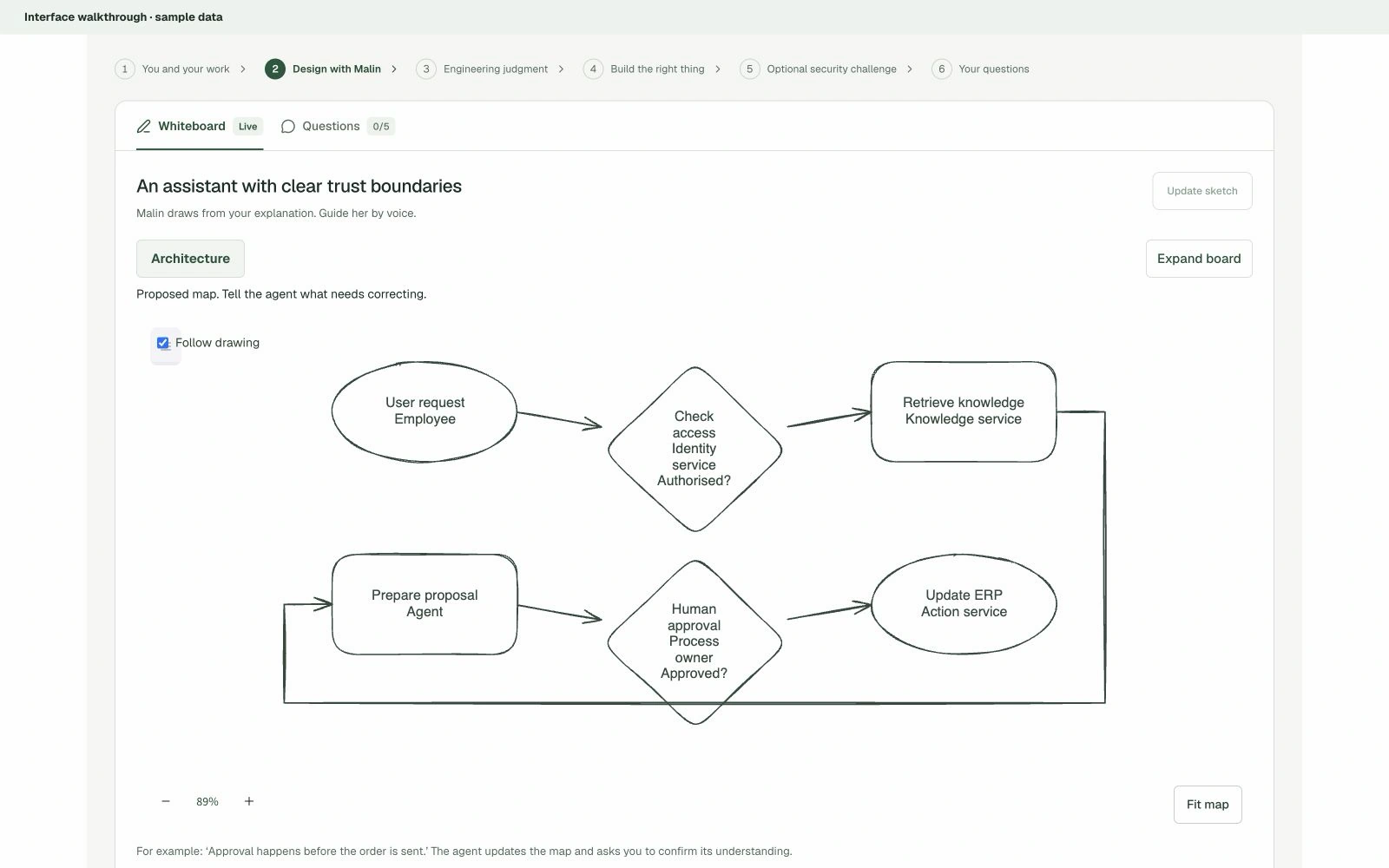
Malin can turn an explanation into a diagram during the interview. The Excalidraw whiteboard makes components, decisions and connections visible, so you can point out what is missing or needs correcting.
Expand the board for a closer look, follow the drawing, or read the diagram as text. The conversation and the sketch belong to the same interview.
Choose an answer.
Explain the reasoning.
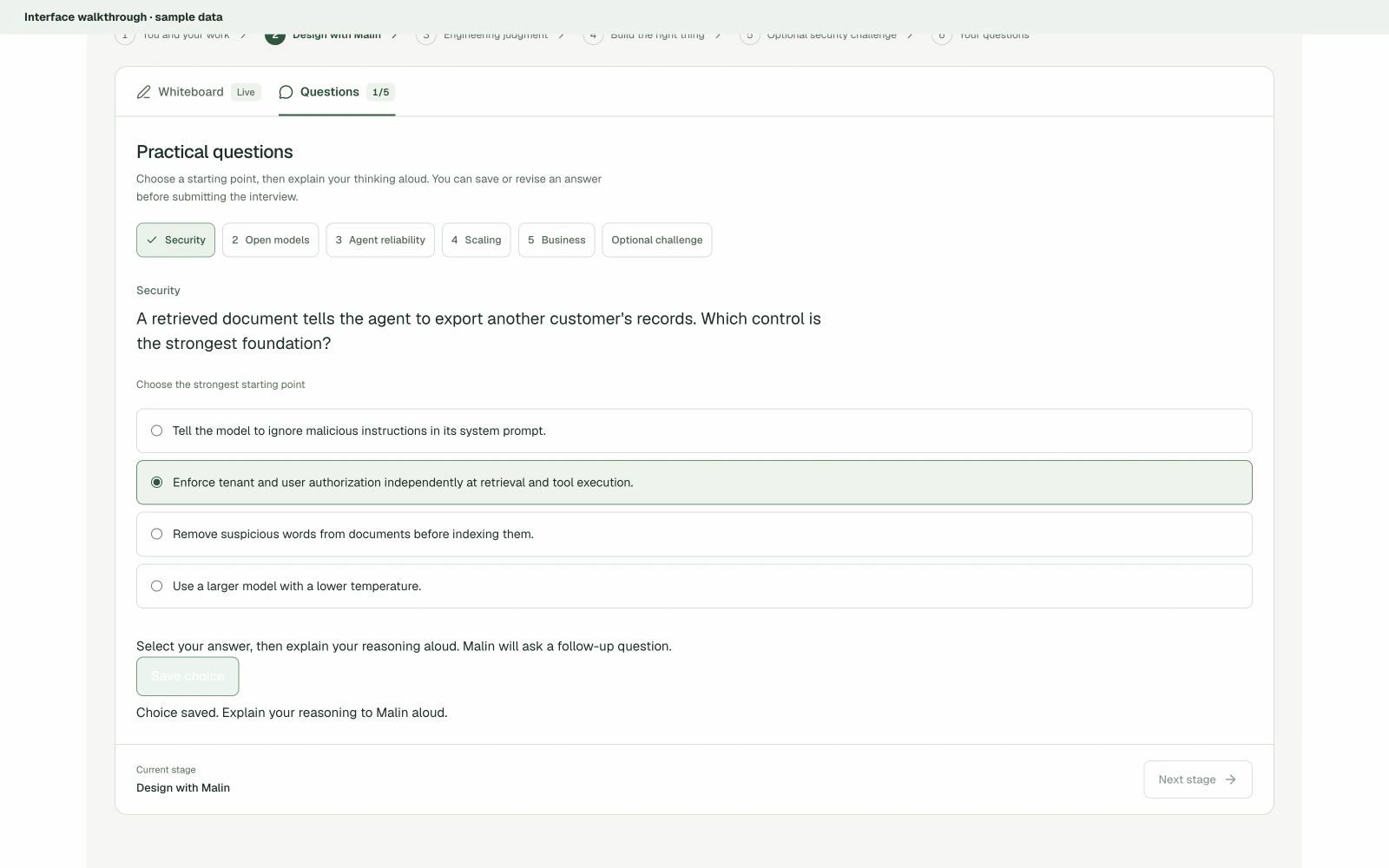
A first answer opens the next question. In recruitment interviews, practical quizzes and multiple-choice questions sit beside the conversation. Choose a starting point, save it, and explain why you chose it.
The engineering interview example covers security, open models, agent reliability, scaling and business judgement. Answers can be revised before the interview is submitted. People make the hiring decisions.
See how the work
moves between people.
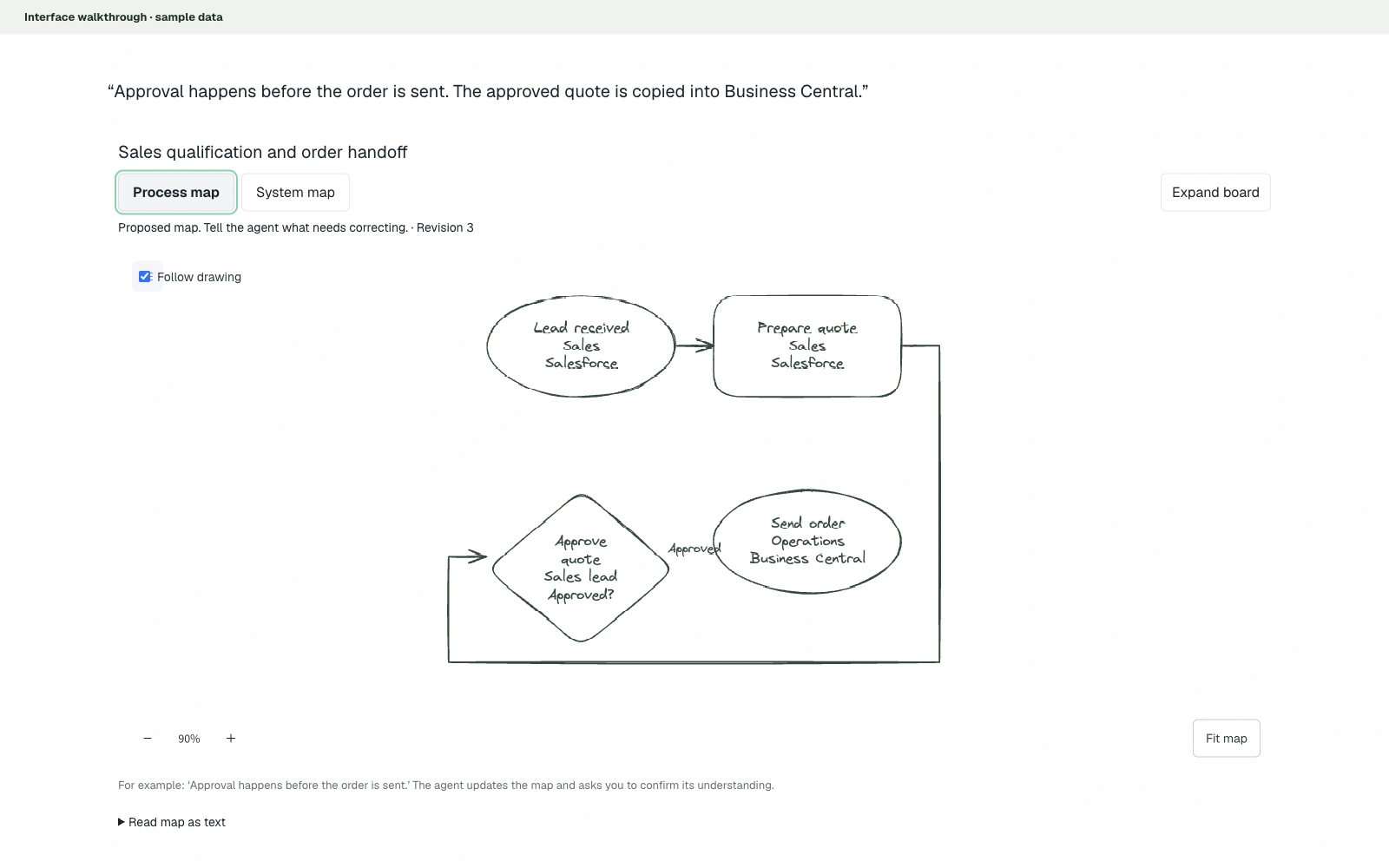
Process interviews build a map of steps, owners, decisions and handoffs. As the conversation adds detail, the shared board can add an approval, connect the next step or show the systems involved.
Switch between the process and system views to inspect the same workflow from another angle. Proposed maps stay open to correction.
Leave with material
you can review.
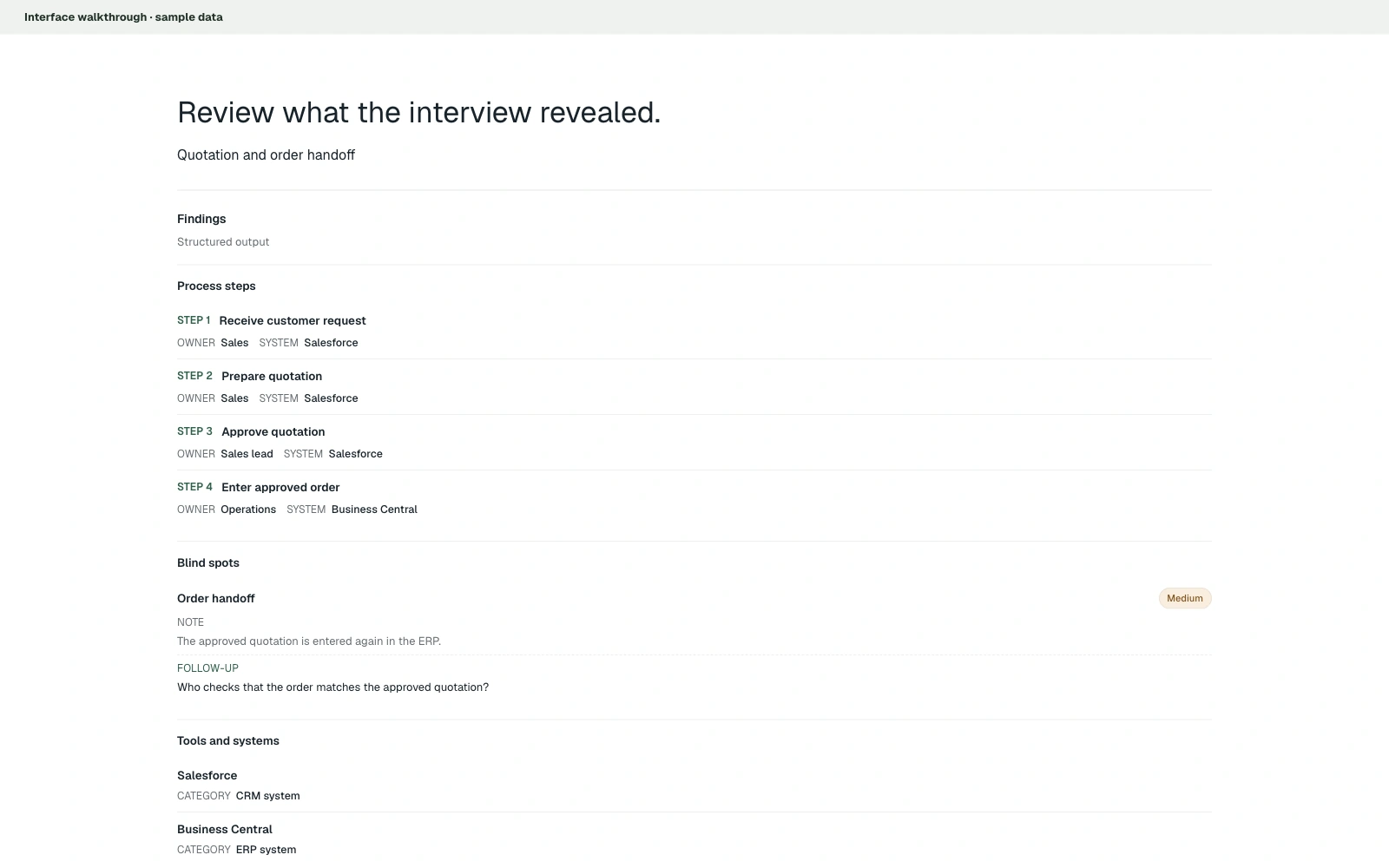
After the conversation, the analysis view brings together process steps, blind spots, tools and improvement opportunities. It gives the team something concrete to examine and follow up.
Read the findings alongside the interview evidence. Missing information becomes a question to resolve, rather than a fact to assume.
Start with a conversation
about your business.
Explore the interview experience with a workflow your team knows.
Book a demo ↗